Backup/Reinstall Procedures
Digital Ocean Backups
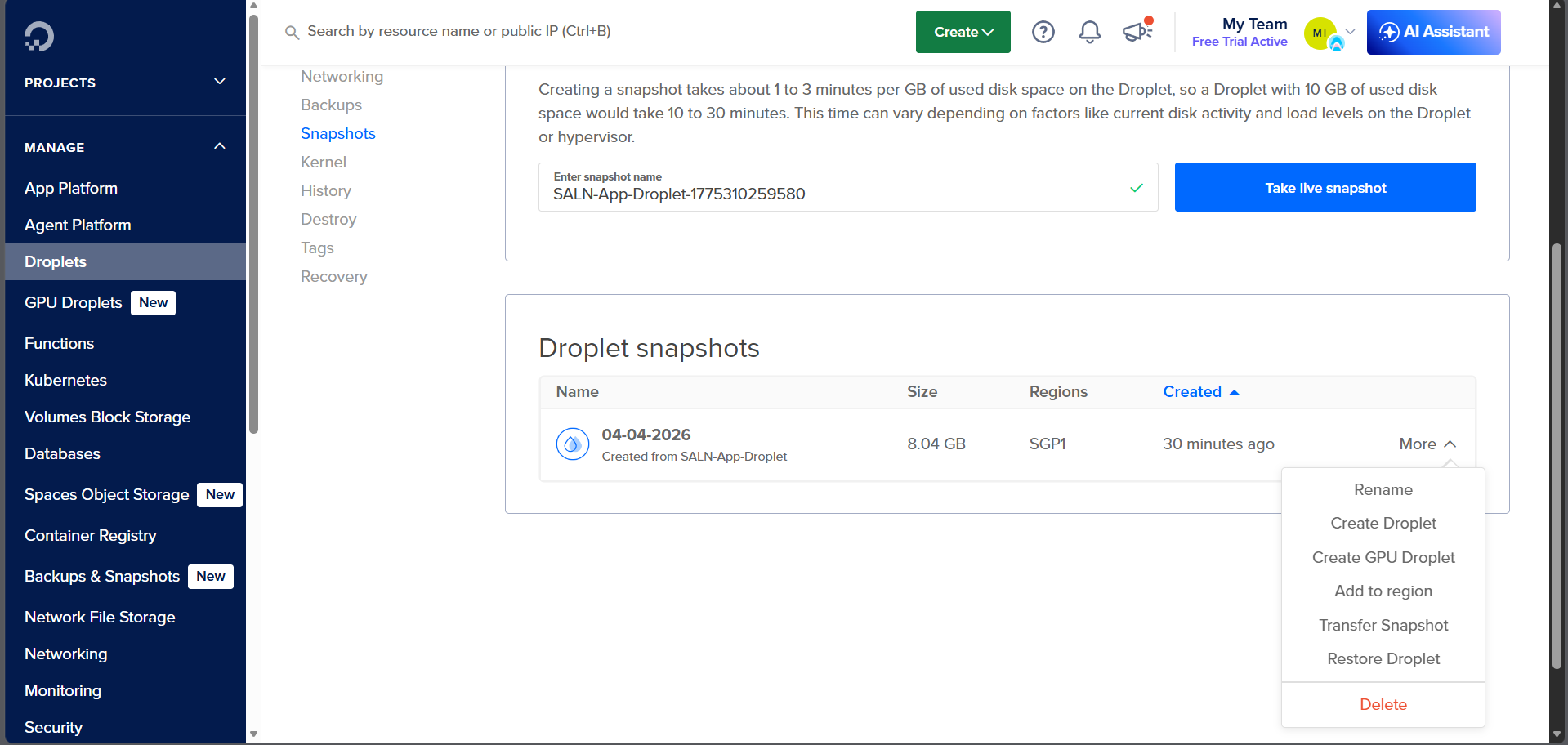
The Digital Ocean droplet for this project has weekly backups enabled. As seen in the Backup tab of the droplet's dashboard, it is set to backup every Sunday, 12am Manila Time (Saturday, 4pm UTC). Do note though that a backup will be deleted in 1 month.
When you open the More dropdown for a backup:
- You could create a new droplet using that backup via Create Droplet.
- You could revert the droplet to that backup via Restore Droplet.
Digital Ocean Snapshots
Aside from having weekly backups, you could also create snapshots of the droplet. This could be done whenever you feel like it, for example, major updates to production code or major updates to droplet/VM configuration.
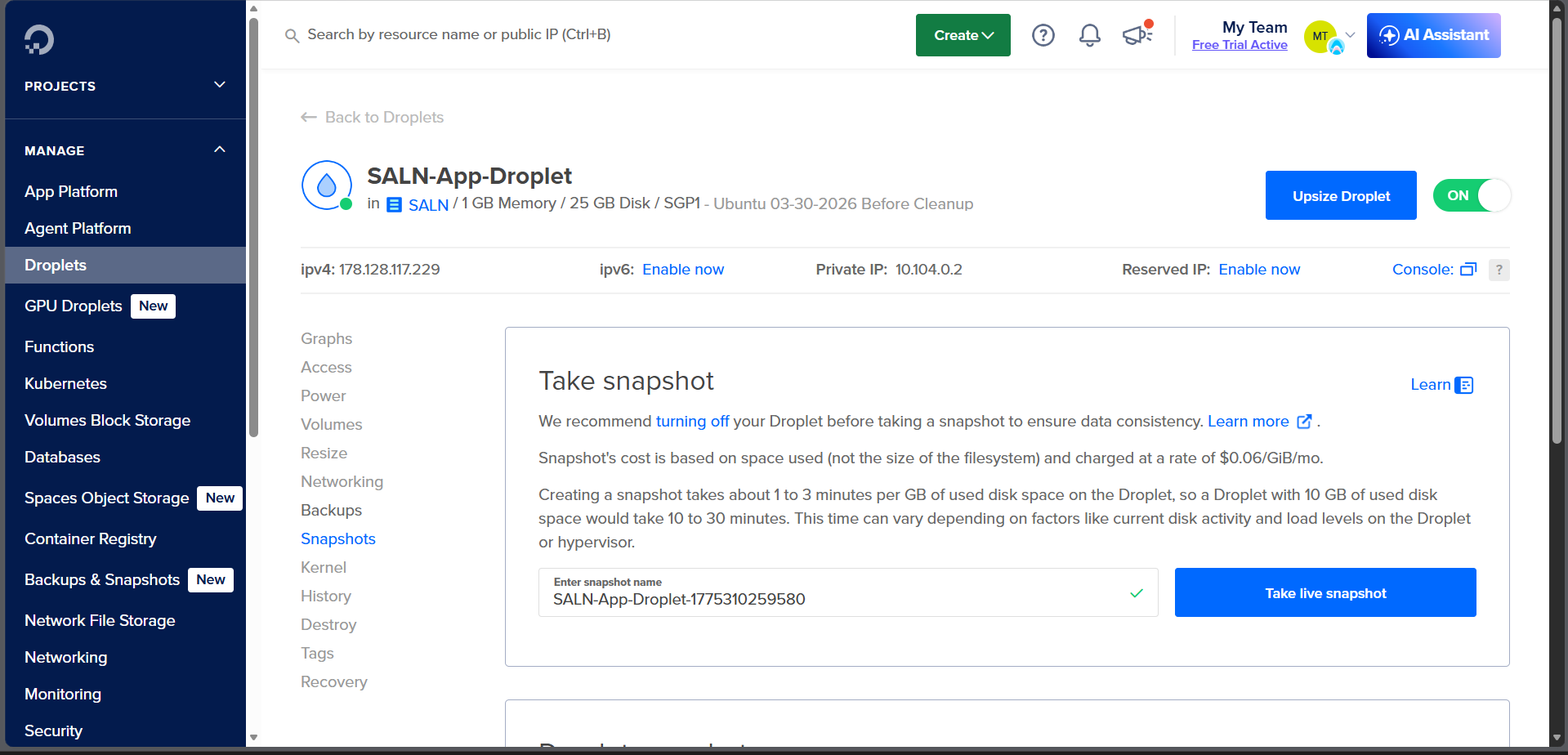
To create a snapshot:
- Turn off your droplet.
- Click the Take Live Snapshot button.
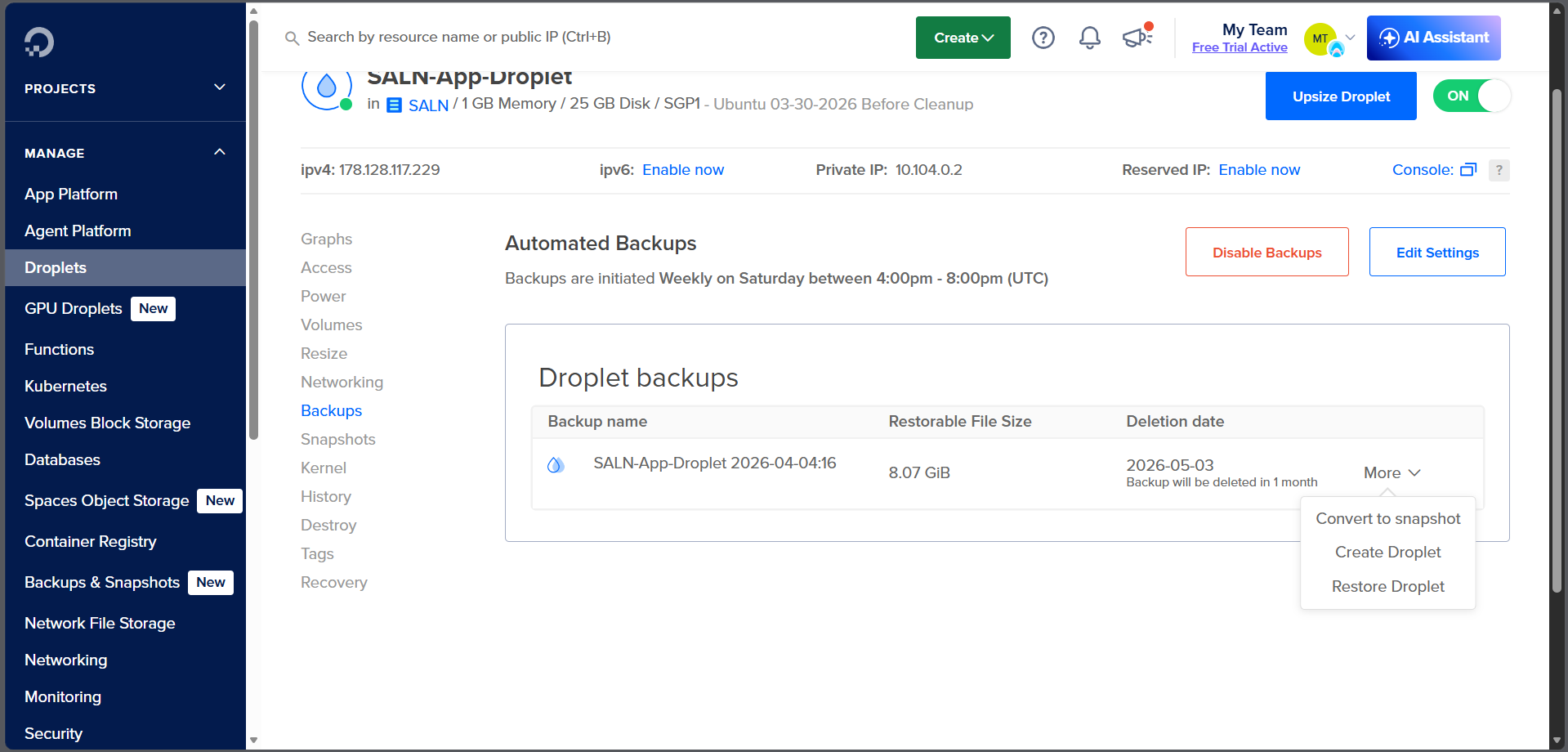
You will then see the new snapshot created in the Droplet Snapshots table. Upon opening the More dropdown, you have some interesting options.
- You could create a new droplet using that snapshot via Create Droplet.
- You could revert the droplet to that snapshot via Restore Droplet.